
lock screen pattern lock screen photo pattern
Lock screen pattern with photo in button
Easy to use, fast, simple, and very beautiful
Provide turn off screen feature for power button deranged, hard to press or if you want protect power button
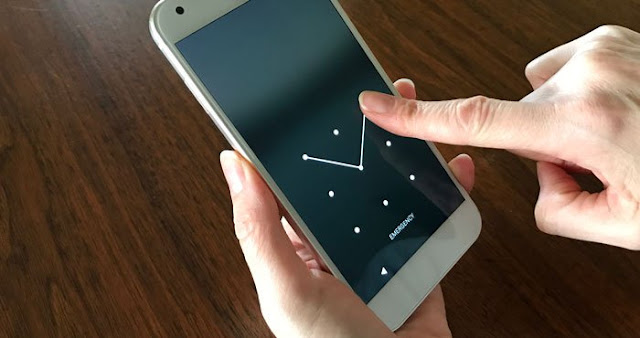
Nowadays you will find smartphones in everyone's hands. People also wake up with smart phones and end the day with smartphones. The world has become so small because of this internet, it can happen very easily even with a person sitting far away. But at the same time, one of the problems of smartphones is that people keep their phones locked with a password so that no one can see their personal data. Because from banking to online payment application and all the data people are keeping in the phone so it is also necessary to keep the phone locked.
A mobile phone that caters to many of our needs not only works for calls, messages and entertainment but also saves someone's life in an emergency. Emergency call feature is present in everyone's phone, but only a handful of people know how useful and necessary this feature is.
First of all, if we talk about the feature of emergency call, today almost all the smartphone users keep their phones locked. Because of the password, fingerprint and face unlock, no one can open your phone. This security feature protects the privacy of the phone, but keep in mind that if a person is involved in an accident, the most important thing is to inform his family members. And in this case, the lock of the phone causes a big problem. Emergency call facility is designed for such situations, in which the family members of the victim of the accident can be informed without unlocking the phone.
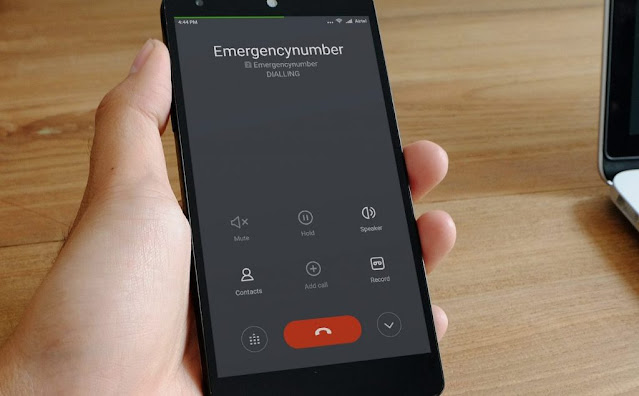
Here's how to activate an emergency call on a smartphone:
1. First lock the phone and come to the home page.
2. Here, an emergency call option appears when you try to unlock the phone, press it.
3. As soon as you touch the emergency call, the keypad will open and at the same time you will get the option to add ‘+’ Emergency Contact i.e. Emergency call number on the screen. Touch it.
4. There will be a demand to unlock the phone before adding the emergency contact number. Unlock the phone.
5. After unlocking the phone, the contact list will open. Select the number of your family or friends from it.
6. After selecting the number, press the back button in the phone, the emergency contact option will come here and you will also be able to see the selected contacts here.
7. These contact numbers have been added to your Emergency Contact list. Also in many phones, there will be an option to fill in your medical information. You can add information here if you have a blood type or any illness, which will help in times of crisis.
Once the phone number is lost in the Emergency Contact list, anyone will be able to call the number of people selected from it without unlocking your phone.
You can also select these numbers from the phonebook:
1. Apart from the Emergency call option, you can also select numbers for emergency calls directly from the phonebook or by going to the contact list.
2. Open the contact list or phonebook and go to the contact that you want to add as an emergency call.
3. If you open the contact, you will find the name, number, email, as well as the option to Add to Emergency Contacts. Touch that.
4. As soon as you add nambarne, it will be added to your Emergency Contact list.
5. Repeat this process to add more than one person to Emergency Contacts.
This is how it will be used -
Once the numbers are added to the list, it will be saved in the Emergency Contacts list.
- Press the Home button or fingerprint sensor if you want to make an Emergency Call from someone else's phone.
- Due to wrong touch, the pattern keypad of the phone will open in it.
- Emergency Call option will appear just below this keypad, click on it.
- Emergency Contact list will open as soon as you click. And you will be able to inform the relatives of the person who was involved in the accident.
As soon as you click on any contact, an emergency call will be made to that number and you will be able to inform the person.
Considering the importance and necessity of Emergency call facility, we should also activate this feature in our own and Saga's relatives' phones.
features of lockscreen:
- support 2 types of lock screen: photo pattern lock screen, pattern lock screen
- change image for button
- you can set lock screen for Samsung galaxy S8 style
- Super cool OS 11 lock screen for android.
- simply slide to unlock OS 11 style device.
- it's a perfect lock screen on Play store.
- support "Slide to unlock" on your lock screen
- Set lock pattern with your favourite photos, images from gallery
- Create a separate image for each lock button, set your photos into buttons
- Set custom background, theme, wallpaper for your lockscreen
- Set pattern photo/avatar with your own photo (your lover, your baby, friends, etc…)
- you can custom shape button by heart, star, diamond, apple, circle, etc...
- Crop or re-size the photo you choose to have included.
- Personalize your lock screen
- create widget home screen for easy settings
- create live wallpaper HD
- set pattern lock screen to enhance the security lock of your phone.
- show battery health on screen lock
- consume less battery
- can change color and fonts of time, date
- multiple HD Wallpaper beautiful
- dynamic wallpaper from our repository
- many beautiful girls to set wallpaper
- display real time clock and date.
- change background with wallpapers
- support over 50 languages
- custom background from gallery.
- optimized battery usage and battery saver
- work well on phone, tablet device
- style to Slide to unlock
- Lock screen slider
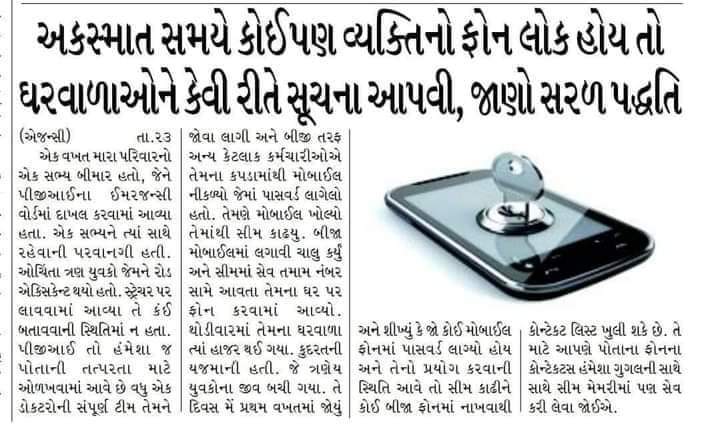
કોઈપણ અકસ્માતની સ્થિતિમાં, ફોનમાં પેટર્ન કે નંબર લોક હોય તો આ રીતે ખોલી
how to use:
1. open the app, and tick the "Enable Lockscreen" check box to enable it.
2. click the Disable System Lock in case you use the system lock.
3. click the Lockscreen Wallpaper to switch to different beautiful backgrounds.
4. For screen off option: you must activate system admin to enable screen off feature.
5. you can change button pictures. You can place your photo (baby, friends, parents, lover, etc...)
★ For screen off option: you must activate system admin to enable screen off feature.
please email us if your device is not supported, we will try our best to support it.
if you love this photo love locker application, please give 5 stars to encourage developers.


